

Introducing Audit Log
You can now see a complete, tamper-proof record of every action taken across your Orderful organization — who did what, and when.
What's New
Organization-level activity feed — a chronological log of all user and system actions with timestamps, actor details, the resource impacted, and context links
Powerful search & filters — filter by time range, actor, action type, resource type, and correlation ID to quickly find the events that matter
Immutable records — logs are append-only and tamper-proof, so you can rely on them during audits and incident investigations
Resources and actions available at launch
| Resource | Actions |
|---|---|
| Transaction | Created, Validation Status Changed, Delivery Status Changed, Acknowledgment Status Changed, Deleted, Reprocessed, Resent |
| Delivery | Created, Sent, Delivered, Failed |
| Attachment | Created |
| Sender Acknowledgment | Created |
| Receiver Acknowledgment | Created |
How to Access the Audit Log
Audit Log is available to all roles in Orderful.
From anywhere
- Click your avatar in the top right corner
- Select Audit Log.
From the Transaction List View
- Go to Transactions page from the navigation menu.
- Click on the Audit Log icon.
This opens a modal with the log pre-filtered to the Transaction resource. From there, you can click View Full Audit Log to open it in a new tab with this filter pre-applied and drill down further.
From a specific transaction
- Go to Transactions page from the navigation menu.
- Open a specific transaction.
- Click on the Audit Log icon.
This opens a modal with the log pre-filtered to that transaction resource and context. From there, you can click View Full Audit Log to open it in a new tab with those filters pre-applied and drill down further.
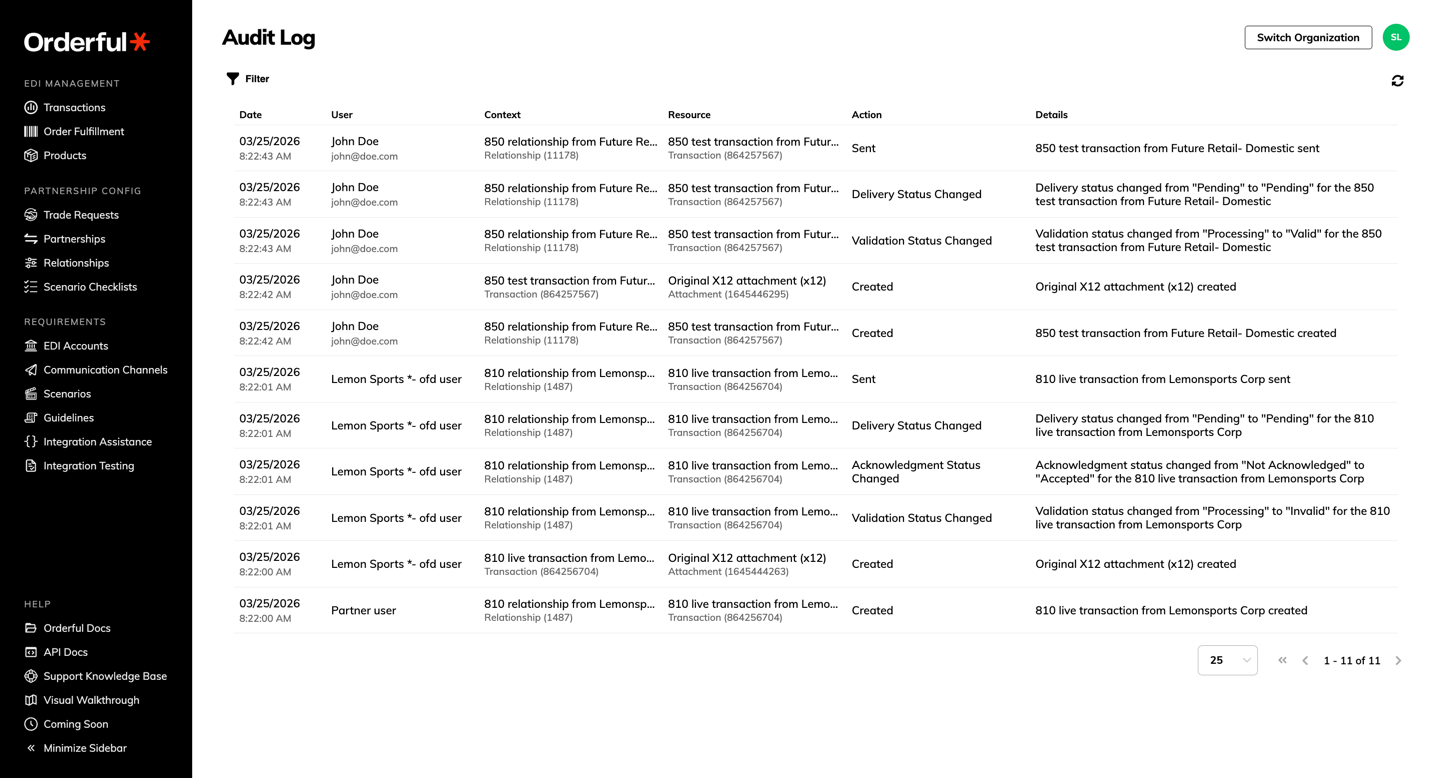
Read More: Audit Log overview → , Navigating the Audit Log →
The Audit Log is not retroactive. Logs start being recorded from March 24th, 2026 onward. Events that occurred before this date are not captured.
What's Changing: Transaction Audit Trail
New transactions (created after this release) show a new "Audit Log" button on the transaction details page.
Pre-release transactions retain the old "Audit Trail" button and the existing audit trail view.
What's Next
Audit Log coverage will expand in the coming weeks. Coming soon:
- Audit log on Relationships and Rules
- Audit log on EDI Jobs