

Get up and running with Orderful's API in 5 minutes. This guide walks you through making your first API call
Prerequisites
Before you begin, make sure you have:
- An Orderful organization account
- Access to your API credentials
- A tool for making HTTP requests (curl, Postman, or your preferred language)
Step 1: Get Your API Key
- Sign in to your Orderful account:
- Orderful US: https://ui.orderful.com
- Orderful EU: https://ui-eu.orderful.com
- Click on your avatar in the upper right corner and select Settings from the drop-down.
- Under Organization Settings, select API Credentials.
- Get your API Token.
Step 2: Set Up Integration Testing
The fastest way to start testing is with Orderful's built-in demo trading partner:
- From the left navigation menu, click on Integration Testing.
- Select your EDI Account.
- Click Add Retail Scenario Testing Demo
- You'll now have access to pre-configured test scenarios
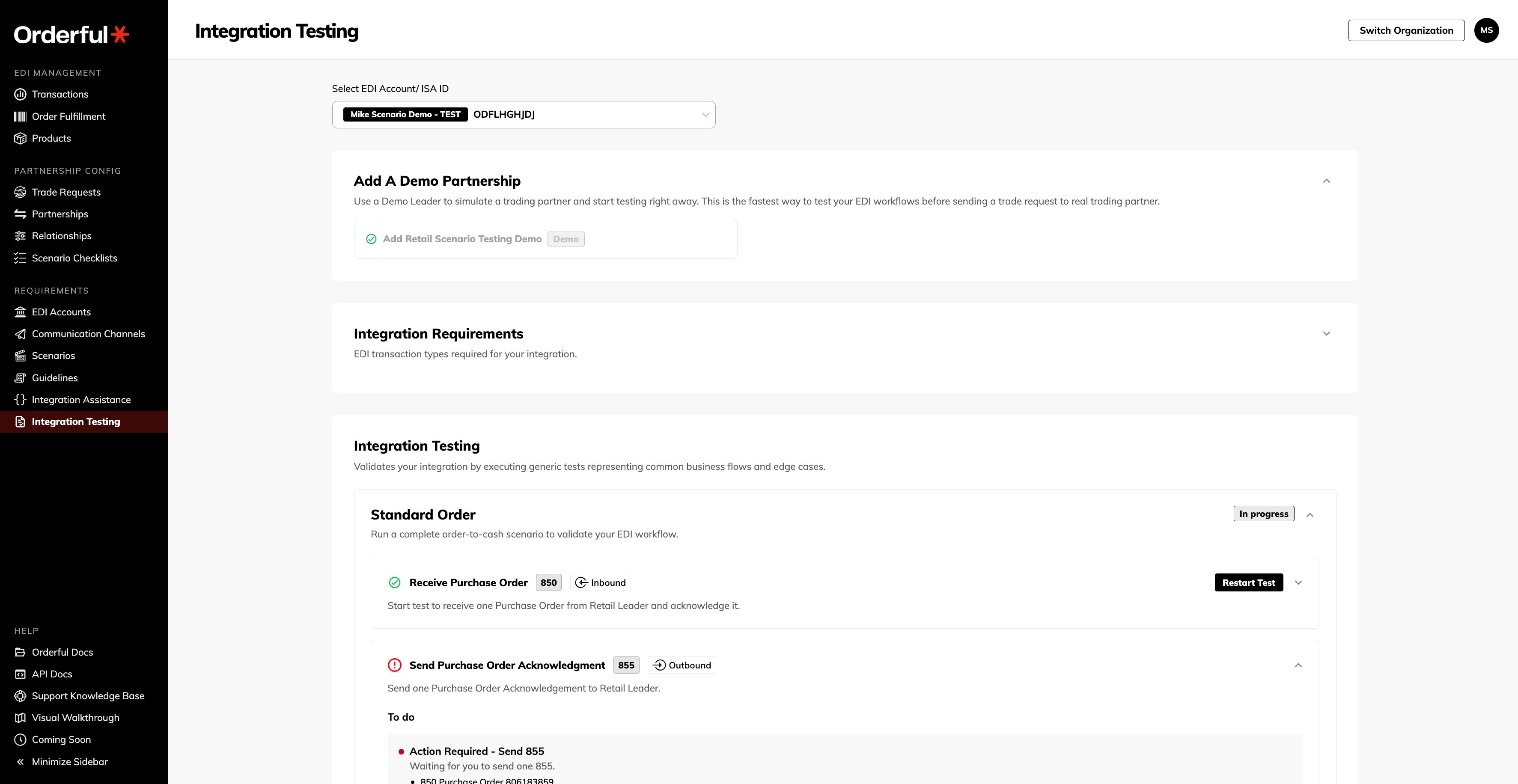
This demo partner allows you to:
- Receive sample Purchase Orders (850)
- Send Purchase Order Acknowledgments (855)
- Send Advance Ship Notices (856)
- Send Invoices (810)
Step 3: Make Your First API Call
Let's verify your API connection by listing your transactions:
curl -X GET "https://api.orderful.com/v3/transactions?limit=5" \
  -H "orderful-api-key: YOUR_API_KEY" \
  -H "Content-Type: application/json"
Expected Response
{
  "items": [
    {
      "id": 12345,
      "transactionType": "850",
      "direction": "inbound",
      "stream": "test",
      "createdAt": "2026-01-15T10:30:00Z"
    }
  ],
  "meta": {
    "limit": 5,
    "offset": 0,
    "total": 42
  }
}
Different Integration Formats
Orderful supports a variety of formats for document exchange. We strongly recommend the Mosaic schemas where available. Please note that a hybrid approach will work. You can leverage Mosaic schemas where available, and then use OrderfulJSON for any less common document types not yet supported by the Mosaic Platform.
| Format | Description | Integrate |
|---|---|---|
| Mosaic | Simplified JSON schema designed with System Of Record integration in mind. These schemas are supported by our internal partner mapping and transformation platform, which means that you can use the same integration for all of your partners without having to build in partner-specific logic. See the list of Mosaic Schemas in the left hand menu to see which document types are supported | Guide POST Endpoint |
| OrderfulJSON | This is our traditional format for exchange. A JSON object modeled closely their X12 and EDIFACT Schema counterparts. | Guide POST Endpoint (v3) |
| X12 | For passthrough transactions. X12 passthrough doesn't take advantage of Orderful's robust document validation engine. Upload X12 documents via traditional EDI communication Channels. AS2, SFTP, VAN etc | Guide |
Next Steps
Now that you've made your first API call, here's where to go next:
- Choose Your Integration Path - Decide between Mosaic, Orderful JSON, or X12 Passthrough
- Mosaic Integration Guide - Build a complete integration using our recommended approach
- Order to Cash Workflow - Implement the full PO → POA → ASN → Invoice flow
- API Reference - Explore all available endpoints
Need Help?
- Support Knowledge Base - Search our help articles
- API Reference - Detailed endpoint documentation
- Contact Support - Reach out to [email protected]