

Ask Orderful Agents
Ask Orderful a question, or ask for a fix or change, from any page. Orderful Agents take your request as a task and answer in that task.
Beta: Ask Orderful Agents is in open beta. It is on for every organization that has Tasks.
What Ask Orderful Agents is
Ask Orderful Agents is a short form for anything you need from Orderful: a question, a fix, a change, or something Orderful should know. When you send it, Orderful creates a task for your request and assigns it to Orderful Agents. They send back an answer or a plan, usually within minutes, in that same task. Any next steps show as tasks on your Tasks page. A person at Orderful reviews every plan before anything changes.
Open the form
Open the Ask Orderful Agents form in any of these ways:
- Click Ask Agents at the top of the left navigation menu. It's on every page.
- Press ⌘J on a Mac, or Ctrl+J on other computers. The shortcut works on any page, even while you're typing in a field.
- From a task, click Ask Agents About This. See Ask about a task.
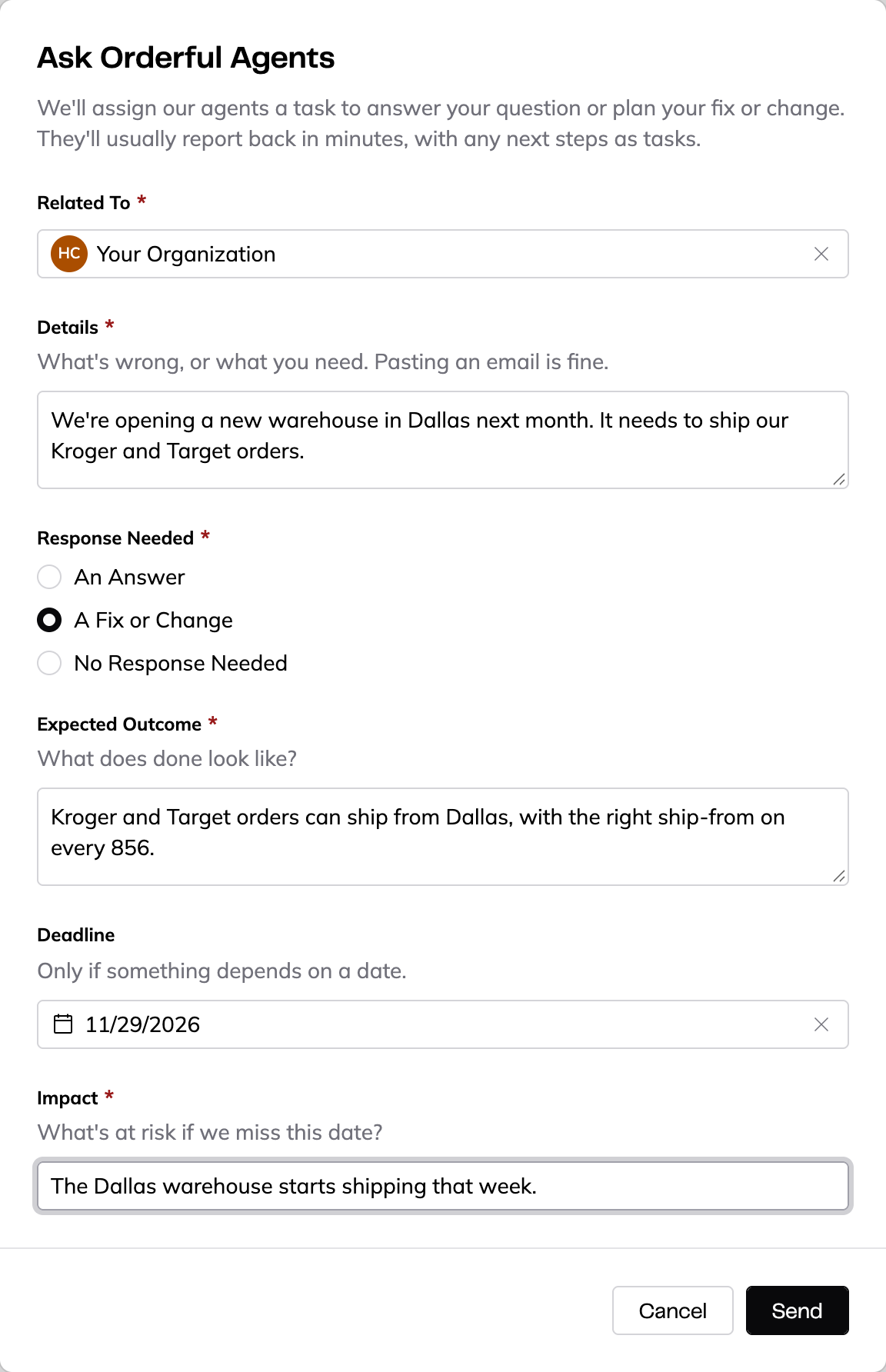
Related To
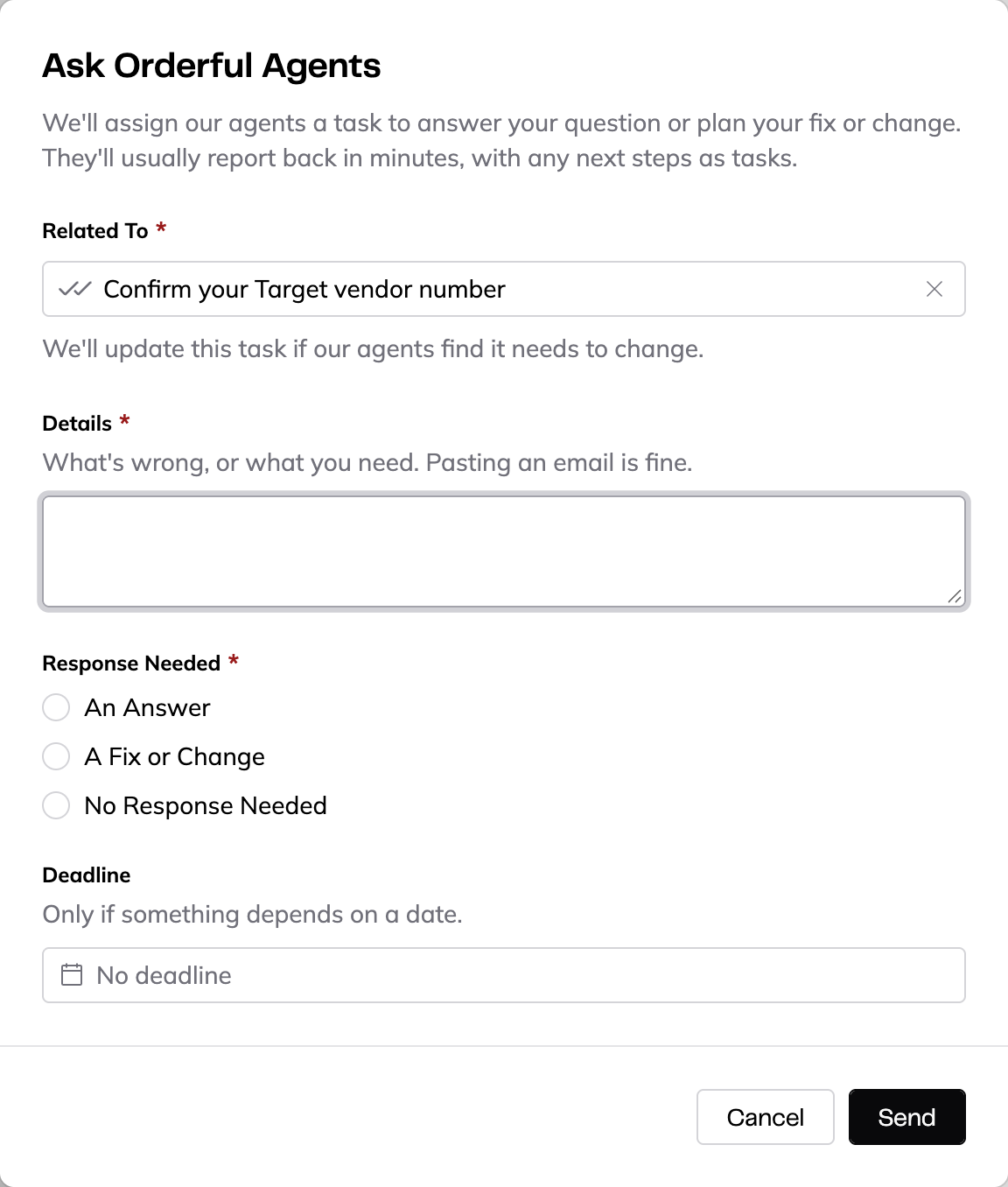
Choose what your request is about. Type to search. The list has three groups:
- Partnerships — one of your trading partners.
- Something Else — Your Organization, for requests that aren't about one partner or task.
- Your Open Tasks — one of your open tasks.
Related To is required.
Details
Say what's wrong or what you need, in your own words. You can paste an email. Details is required.
Don't include passwords. If your request contains one, the form asks you to remove it. When Orderful needs a login, it asks for it in a secure field in a task.
Response Needed
Choose what you need back:
- An Answer — Orderful Agents answer your question.
- A Fix or Change — Orderful Agents plan the fix or change. The form then also asks for Expected Outcome: what does done look like? Expected Outcome is required for a fix or change.
- No Response Needed — something Orderful should know about, with no reply needed.
Response Needed is required.
Deadline and Impact
Add a Deadline only if something depends on a date. When you choose a date, the form also asks for Impact: what's at risk if Orderful misses this date? Impact is required once you set a deadline. To remove the deadline, click the X in the date field.
Send and the receipt
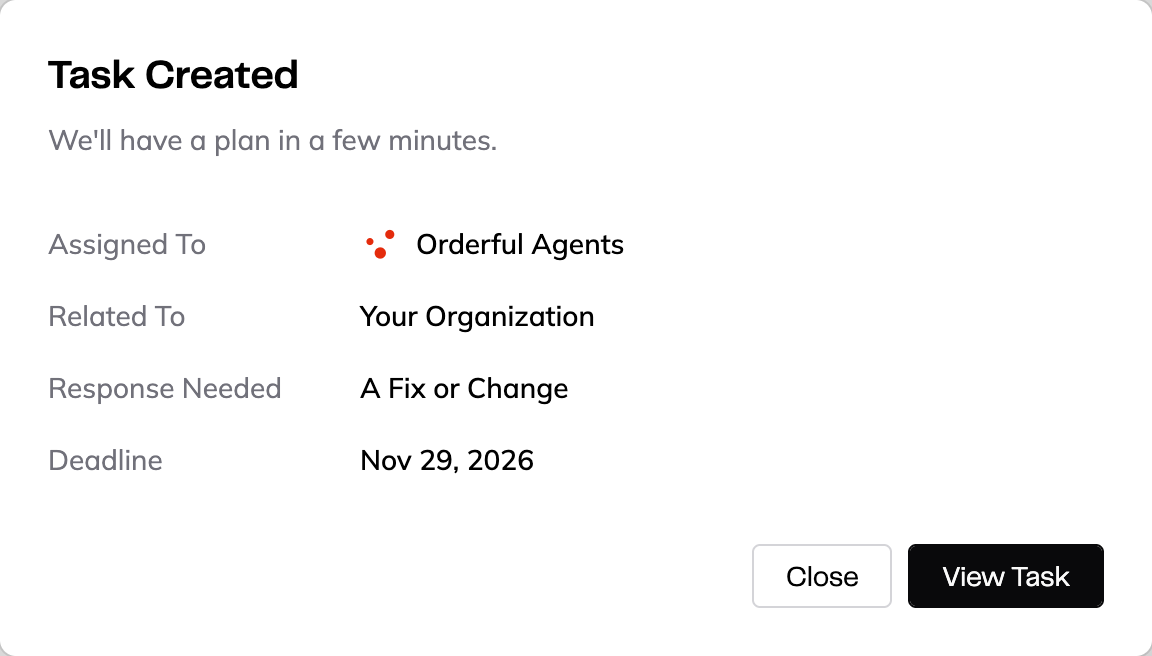
Click Send. The form changes to Task Created, which shows:
- What to expect, for example We'll have a plan in a few minutes.
- Assigned To — Orderful Agents
- Related To, Response Needed, and Deadline (if you set one)
Click View Task to open the new task, or Close to go back to what you were doing.
If a send fails and you click Send again, Orderful doesn't create a second task for the same request. If the first send did create the task, the form says the request was already sent and is in your tasks. Close the form, or change your request to send a new one.
While the agents work
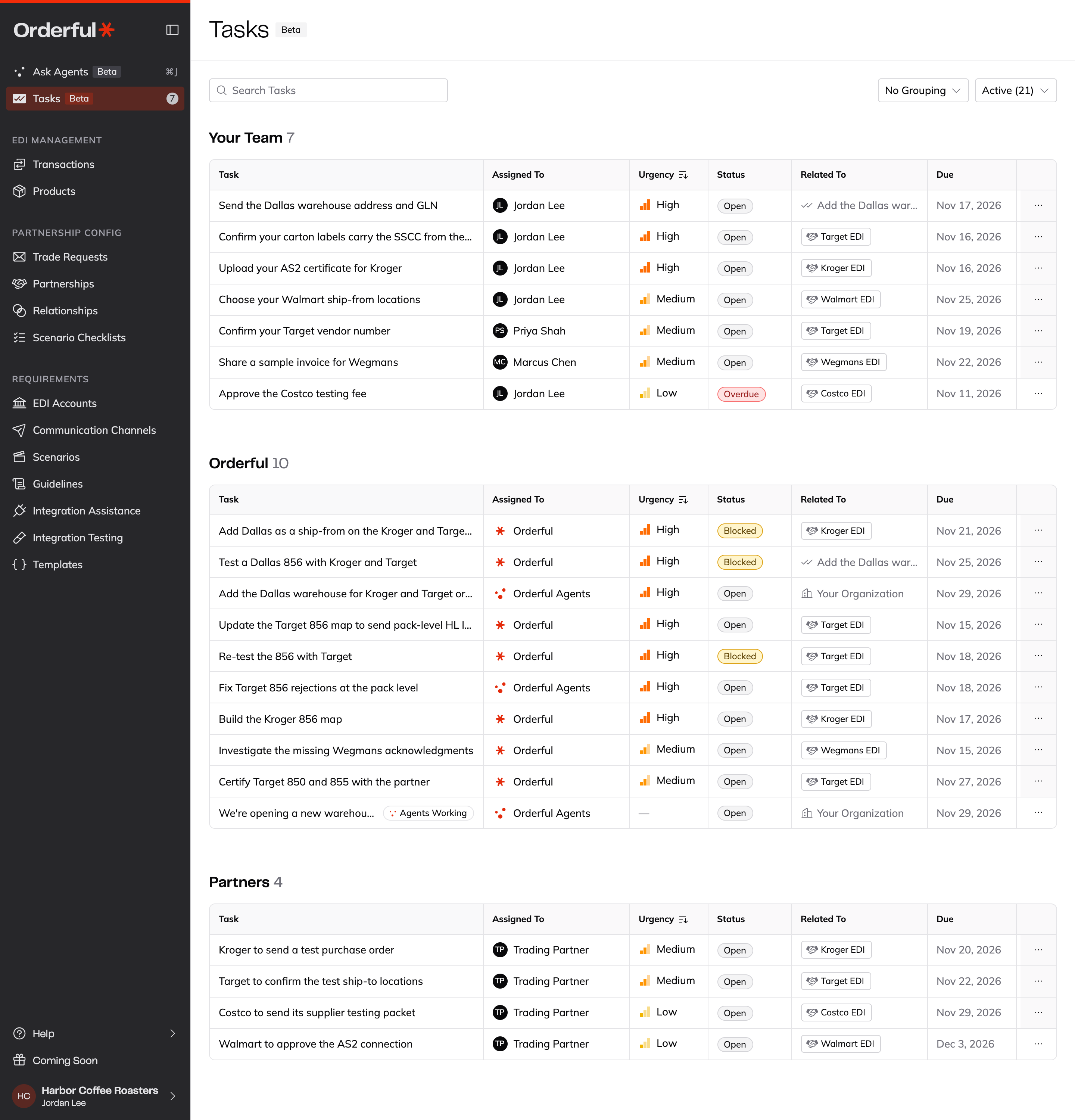
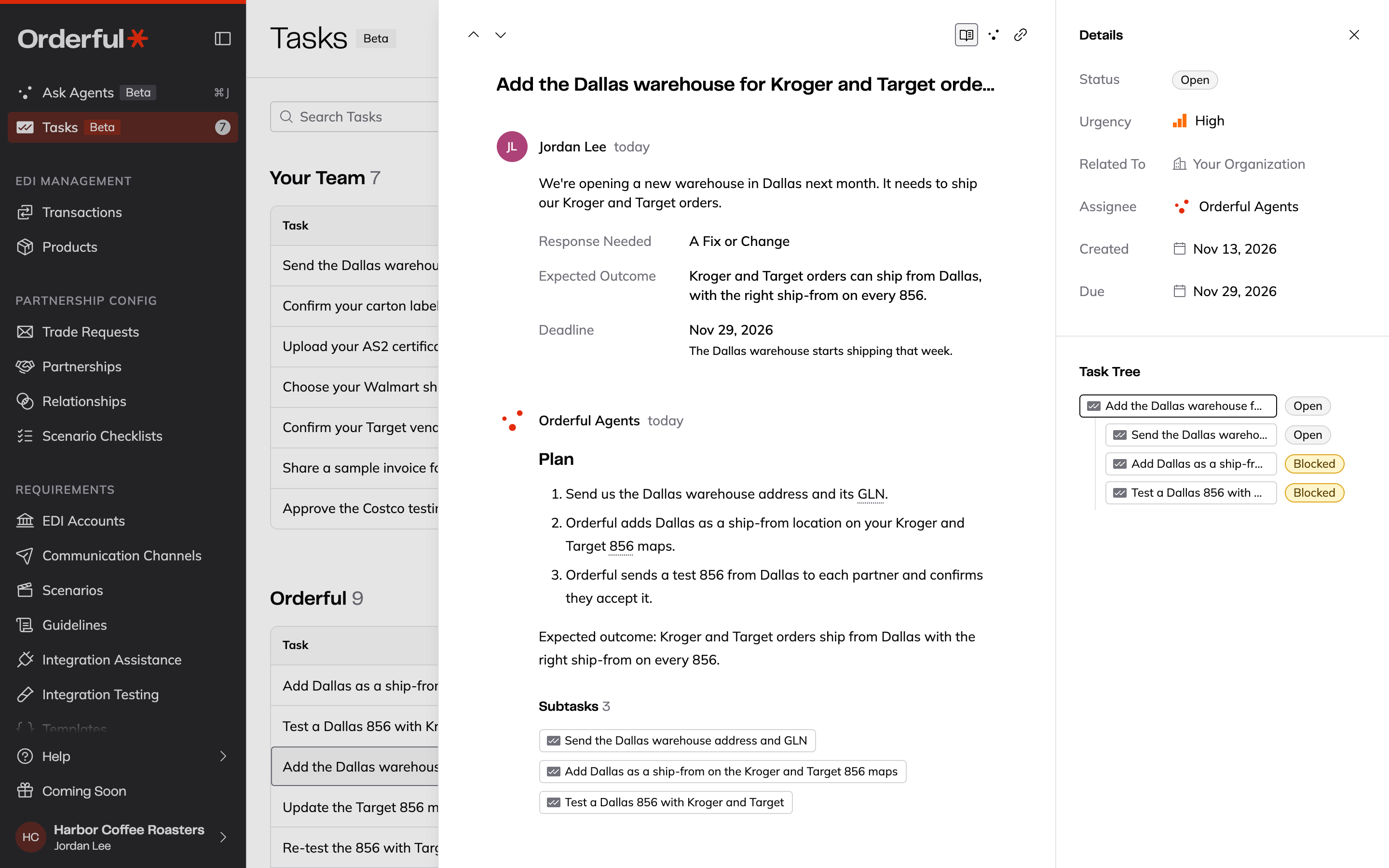
Your request is a task on the Tasks page, assigned to Orderful Agents. While they work on it, an Agents Working tag shows after the task's title.
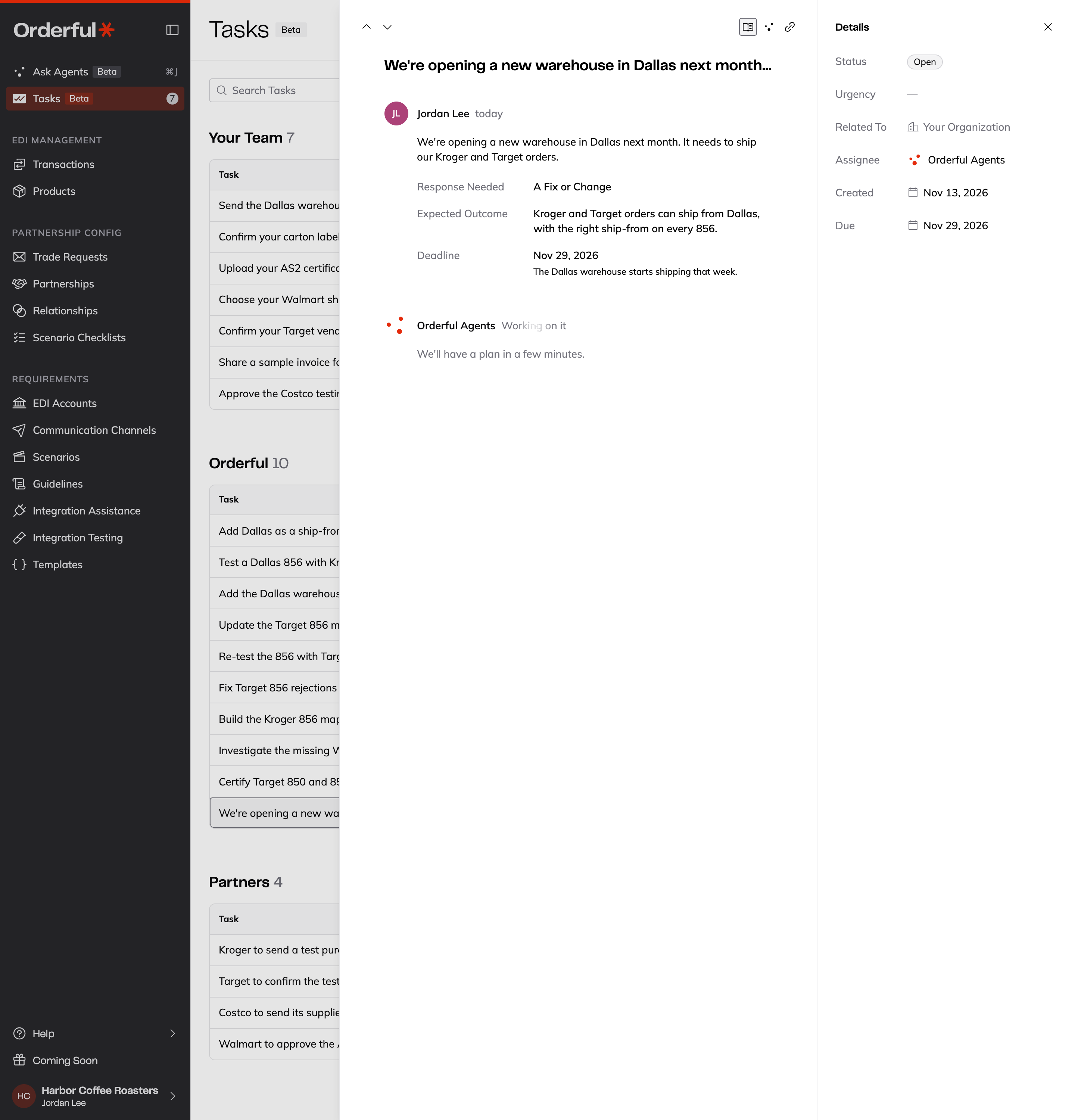
Open the task to see your request: who sent it, when, your details, and the Response Needed, Expected Outcome, and Deadline you gave. Below it, Orderful Agents show Working on it until their reply is ready.
The reply shows in the same task:
- For An Answer, the answer.
- For A Fix or Change, a plan. The plan's next steps show under it as Subtasks, and in the Task Tree in the side panel. Some subtasks are for your team and some are for Orderful, so you can see who does what.
Ask about a task
To ask about a task you already have, use Ask Agents About This:
- In the task drawer, click Ask Agents About This at the top of the drawer.
- In the task tables, open the … menu on the task's row, or right-click the row, and click Ask Agents About This.
The form opens with Related To already set to that task. While a task is open in the drawer, ⌘J or Ctrl+J opens the form about that task too. If Orderful Agents find that the task needs to change, they update it.
Ask Agents About This is available on open tasks only.
What you don't see
You see your requests, the replies, and the tasks that come from them. You don't see the internal work Orderful does to carry out a plan, or the tasks of other organizations. When one of your tasks is waiting on Orderful's internal work, it shows as blocked without listing that work.
Related
Updated about 7 hours ago